 Zinn® Agents
Manage hosting from Claude Code and Cursor
Connect your editor's AI to your hosting over MCP: deploy, read logs, sync with your repository and fix problems without leaving the editor.
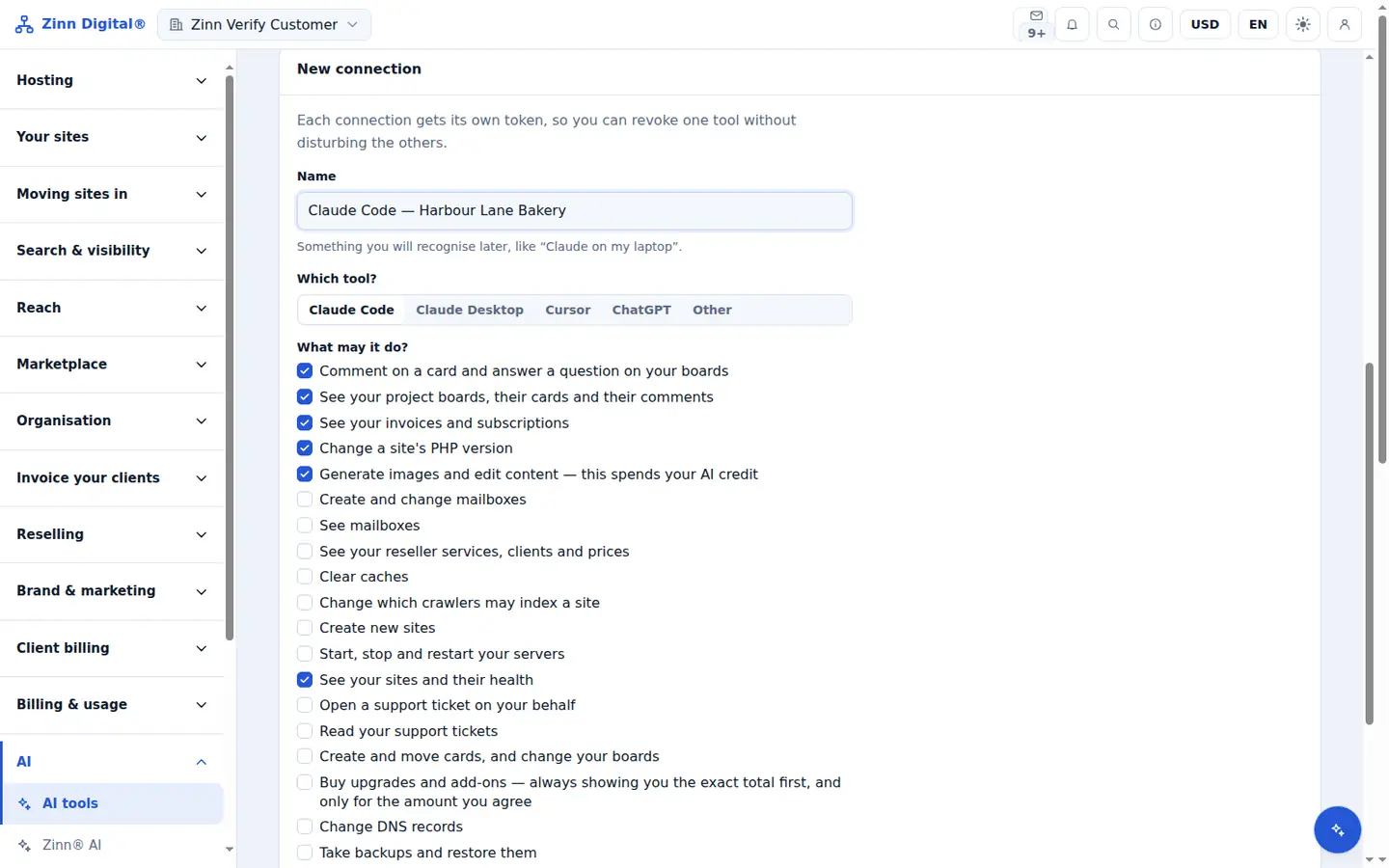
Set up in one command
Create a connection on the AI tools page and copy the configuration for your client, including the one-line command for Claude Code.
Logs where you are debugging
Your AI tool can read a site's access and error logs and its metrics, so it can find the cause of a problem instead of guessing.
Deploy through your repository
With two-way sync, the site and its repository stay in step, and a deploy refuses rather than overwrite a file that was changed on the site.
Prompts for the jobs you repeat
Built-in prompts diagnose a site, prepare a migration, or gather the facts before a support ticket.
Included with Zinn Digital® hosting
Host with us and the AI comes with the account
Every Zinn Digital® hosting account includes the MCP server, the Ask Zinn® assistant and the AI migration agent at no charge, plus a one-time welcome credit for the site builder. On our servers, the chat agent reads a static site straight from its files and installs itself on WordPress.