 Zinn® Agents
Build your first website with AI
Start a build from a short brief and read the draft before anything is published.
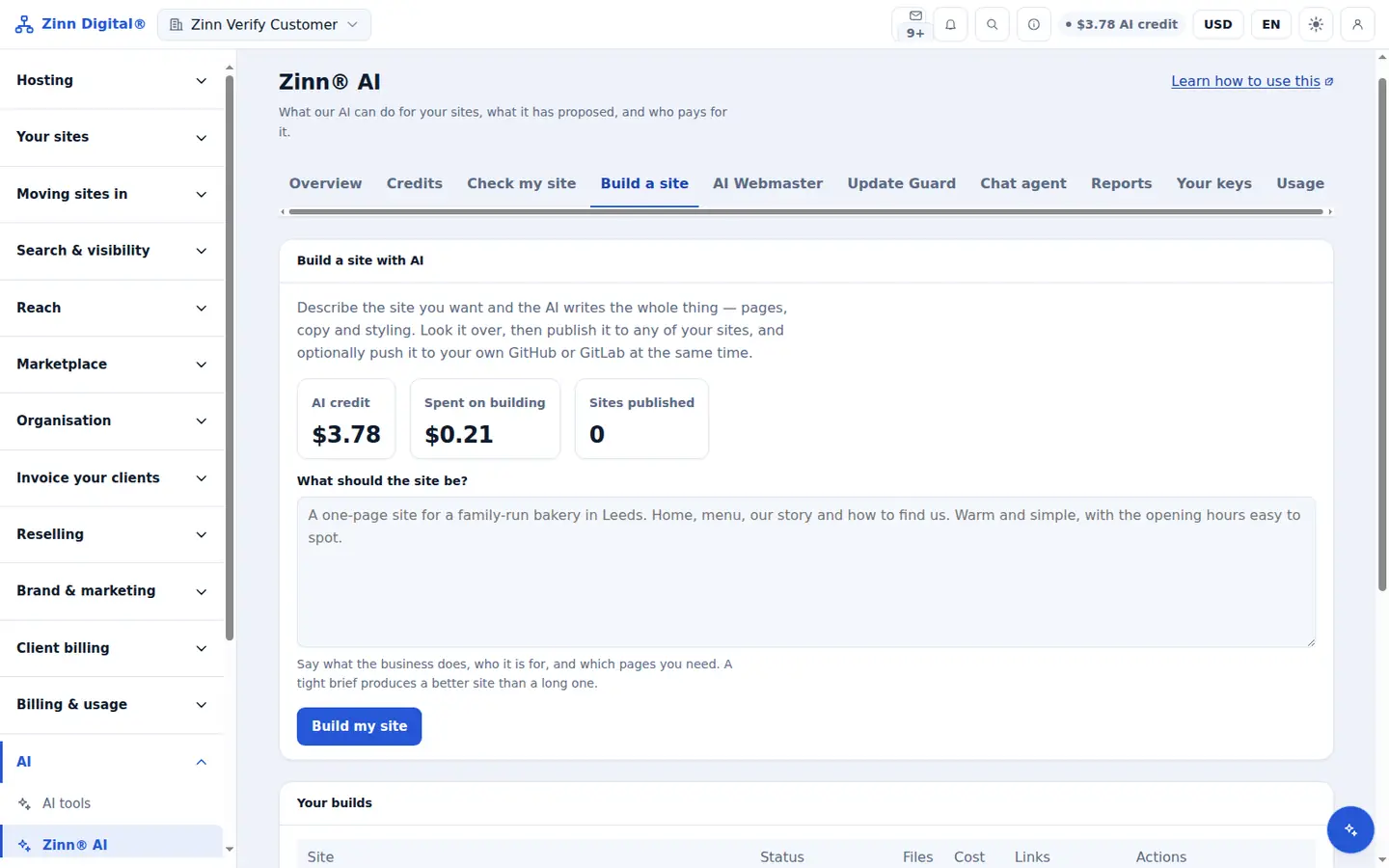
Step by step
Open the site builder
In the dashboard, open Zinn® AI and choose the Build a site tab.
Write the brief
Under What should the site be?, describe the site in up to 2,000 characters: what the business does, who it is for and the pages you need.
Decide on images
Choose whether to generate images. Their cost is shown before anything is generated.
Build it
Choose Build my site. Your first builds are covered by a one-time welcome credit.
Read the draft
Open the finished draft under Your builds to see every page and file before you decide what to do with it.
Included with Zinn Digital® hosting
Host with us and the AI comes with the account
Every Zinn Digital® hosting account includes the MCP server, the Ask Zinn® assistant and the AI migration agent at no charge, plus a one-time welcome credit for the site builder. On our servers, the chat agent reads a static site straight from its files and installs itself on WordPress.